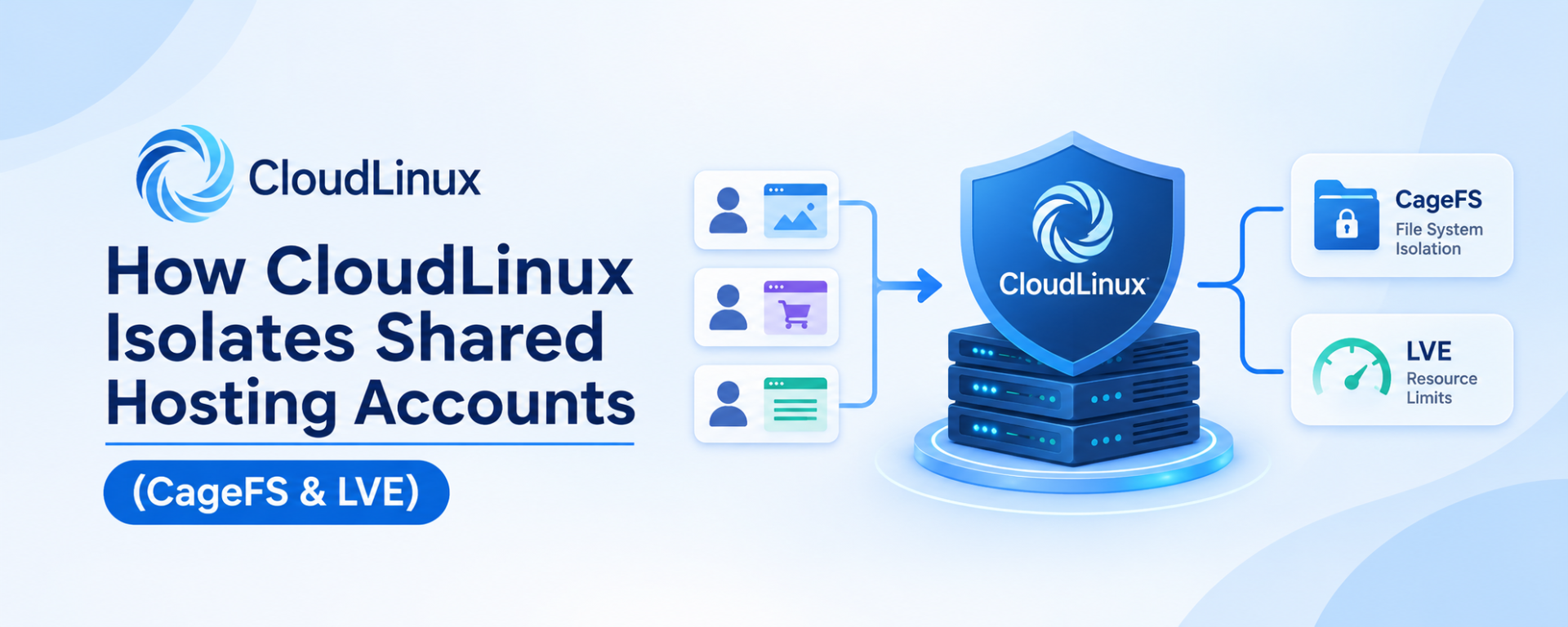

Shared web hosting is one of the most popular and affordable ways to host a website. It allows multiple customers to host their websites on a single physical server while sharing its underlying hardware resources.
However, sharing a server introduces an important challenge: How can a hosting provider ensure that one customer’s website does not affect the security, performance or stability of another customer’s website?
Imagine a server hosting 300 websites. One website experiences an unexpected traffic spike, another contains a vulnerable PHP application, and a third consumes excessive CPU and memory resources.
Without proper isolation and resource management, these situations can affect other websites running on the same server.
This is where CloudLinux OS comes into the picture.
CloudLinux is a specialized Linux operating system designed for web hosting environments. It provides hosting providers with tools to isolate customer accounts, control resource consumption, manage PHP versions and improve server stability.
It has become one of the most widely adopted commercial platforms in the shared hosting industry, particularly among providers operating cPanel-based hosting servers.
In this article, we will explain how CloudLinux works, why it matters for shared hosting, how its PHP Selector and Alt-PHP system works, and how its recent security updates demonstrate the importance of maintaining PHP environments.
What Is CloudLinux?
CloudLinux OS is a Linux-based operating system specifically developed for hosting providers, data centers and web hosting businesses.
Unlike a conventional Linux server configuration, CloudLinux provides additional technologies designed to manage multiple hosting customers on a shared server.
Its primary objective is to ensure that customers sharing the same physical server can operate independently within controlled resource and security boundaries.
CloudLinux provides several important technologies:
CageFS: Isolates hosting accounts within their own virtualized filesystem.
LVE (Lightweight Virtual Environment): Controls CPU, RAM, disk I/O and process usage.
PHP Selector: Allows customers to select supported PHP versions and extensions.
Alt-PHP: Provides multiple PHP versions independently of the operating system’s default PHP installation.
MySQL Governor: Monitors and controls database resource consumption.
HardenedPHP and extended lifecycle services: Help maintain security for legacy PHP environments where applicable.
Together, these technologies help hosting providers operate more stable and controlled shared hosting environments.
How Does CloudLinux Isolate Shared Hosting Accounts?
One of the biggest advantages of CloudLinux is its ability to prevent hosting accounts from freely accessing one another’s environments.
Consider a conventional shared hosting server.
Without adequate isolation, a compromised website or incorrectly configured application could potentially expose information belonging to other customers, depending on the server’s permissions and PHP execution configuration.
CloudLinux addresses this problem primarily through CageFS and LVE.
A. CageFS – Filesystem Isolation
CageFS is a virtualized filesystem technology that creates an isolated environment for each hosting account.
Each customer receives a restricted view of the server’s filesystem instead of having unrestricted visibility into the server environment.
For example:
Customer A cannot freely browse Customer B’s hosting files.
Customer B cannot access Customer C’s private configuration files.
Customers cannot freely inspect other users’ processes.
Sensitive server configuration files are not exposed through the customer’s restricted environment.
Only permitted system binaries and resources are made available inside the customer’s environment.
This is particularly important in shared hosting because hundreds of unrelated websites may operate on the same physical server.
What happens if one website gets compromised?
CageFS helps contain the incident within the compromised account’s filesystem boundaries, reducing the possibility of accessing other hosting accounts.
It is important to understand that CageFS is not a guarantee that an account can never be compromised or that every attack will be contained. Its effectiveness depends on correct configuration, permissions, PHP execution handlers and other security controls.
B. LVE – Lightweight Virtual Environment
While CageFS focuses on filesystem isolation, LVE focuses on resource isolation.
Imagine a hosting server with 100 customers.
One customer runs a poorly optimized WordPress website that consumes excessive CPU and RAM resources.
Without resource controls, that website could negatively affect the performance of other websites hosted on the same server.
LVE addresses this by assigning resource limits to individual hosting accounts.
Commonly controlled resources include:
- CPU usage.
- Physical memory.
- Virtual memory.
- Disk I/O.
- IOPS.
- Number of processes.
- Entry processes.
- Concurrent connections.
For example, a hosting provider may assign an account a specific CPU and memory allocation.
When the account reaches its configured limits, CloudLinux can restrict additional resource consumption rather than allowing that account to consume unlimited server resources.
This helps prevent the well-known noisy neighbour problem in shared hosting.
A single customer’s website can become busy without necessarily bringing down the entire hosting server.
C. MySQL Governor – Database Resource Management
Database queries can also consume significant server resources.
An inefficient WordPress plugin, poorly optimized application or excessively heavy database query can affect database performance for other hosting customers.
CloudLinux MySQL Governor monitors database resource usage and can throttle accounts that exceed configured limits.
This provides hosting administrators with better control over database resource consumption.
Together, CageFS, LVE and MySQL Governor help create a more controlled shared hosting environment.
CloudLinux PHP Selector and Alt-PHP Explained
PHP compatibility is another major challenge for shared hosting providers.
Different websites require different PHP versions depending on their application, framework, plugins and development requirements.
For example:
An older WordPress website might require PHP 7.4.
A modern Laravel application may require PHP 8.2 or newer.
A legacy business application may still depend on an older PHP release.
A newly developed application may require PHP 8.4 or PHP 8.5.
A hosting provider needs a way to support different PHP versions without creating conflicts between customers.
This is where CloudLinux PHP Selector comes in.
What is Alt-PHP?
Alt-PHP is CloudLinux’s alternative PHP package collection.
It provides multiple PHP versions that can operate independently of the server’s default operating system PHP installation.
Through CloudLinux PHP Selector, hosting customers can choose from the PHP versions made available by their hosting provider.
Depending on the installed packages and operating system, supported branches can include:
- PHP 5.2 and 5.3.
- PHP 5.4, 5.5 and 5.6.
- PHP 7.0 through 7.4.
- PHP 8.x versions.
The exact versions available depend on the CloudLinux release, installed repositories and package support lifecycle.
Customers can also manage PHP extensions such as:
- mysqli
- curl
- mbstring
- intl
- ionCube Loader
- GD
- SOAP
- ZIP
- XML
- Redis
This makes it easier to accommodate different application requirements within the same shared hosting server.
Alt-PHP vs EA-PHP
An important distinction exists between Alt-PHP and EA-PHP.
EA-PHP is provided through cPanel’s EasyApache 4 ecosystem, while Alt-PHP is provided through CloudLinux’s PHP Selector ecosystem.
Both approaches allow hosting providers to offer multiple PHP versions, but their package management, configuration and customer-facing selection mechanisms differ.
CloudLinux PHP Selector also provides customers with the ability to manage PHP extensions without requiring the hosting provider to manually modify every account’s configuration.
This is particularly useful in shared hosting environments where customers have different application requirements.
Why Supporting Older PHP Versions Is Still Important
Although using the latest supported PHP version is generally recommended, many websites continue to depend on older PHP branches.
This is particularly common with:
- Older WordPress installations.
- Legacy PHP applications.
- Custom-built business software.
- Older billing and management systems.
- Applications that depend on outdated libraries.
- Websites that have not undergone recent development or migration.
A hosting provider cannot always force every customer to migrate immediately to the newest PHP release.
Doing so may break applications that depend on older PHP functionality.
However, supporting older PHP versions introduces a serious security responsibility.
PHP versions that have reached end of life may no longer receive regular security updates from the PHP project.
Without appropriate maintenance, vulnerabilities in these environments can remain unresolved.
CloudLinux addresses part of this challenge through its maintained Alt-PHP packages and extended lifecycle security services.
This is an important distinction: compatibility and security must be managed together.
Providing an old PHP version without an appropriate security-maintenance strategy can expose both customers and the hosting infrastructure to unnecessary risks.
Recent PHP Security Incident: How CloudLinux Patched PHP2Shell Vulnerabilities
A recent PHP security incident in October 2026 demonstrates why PHP maintenance is so important for hosting providers.
On October 21, 2026, two critical PHP vulnerabilities were publicly addressed:
- CVE-2026-109618
- CVE-2026-109619
These vulnerabilities were commonly discussed together under the name PHP2Shell.
Both vulnerabilities were associated with PHP request handling and could potentially allow unauthenticated remote code execution.
The vulnerabilities received a CVSS v4.0 severity score of 9.2.
In practical terms, successful exploitation could allow an attacker to execute code on a vulnerable server through specially crafted HTTP requests.
This is particularly concerning for shared hosting environments because a single physical server may execute PHP applications belonging to hundreds of customers.
How did CloudLinux respond?
CloudLinux published security updates for its PHP packages.
One particularly important aspect was its support for older Alt-PHP branches.
According to CloudLinux’s October 28 security update, fixed Alt-PHP packages covered versions:
PHP 5.2 through 5.6.
PHP 7.0 through 7.4.
PHP 8.0 through 8.5.
Availability varied depending on the CloudLinux OS release and repository configuration.
CloudLinux also released fixed EA-PHP packages covering EA-PHP 5.2 through 8.5.
This is significant because older PHP branches do not necessarily receive new security releases directly from the PHP project.
CloudLinux maintained and distributed fixes through its package ecosystem, including extended lifecycle support where applicable.
In some cases, security fixes were backported into existing package versions. This means a package could contain the security fix even when its displayed PHP version number was lower than the corresponding upstream PHP release.
Therefore, administrators must verify package changelogs and vendor advisories rather than relying only on the PHP version displayed in a control panel.
Why does this matter to hosting customers?
A hosting provider maintaining a large shared hosting server may have customers running different PHP versions.
Keeping only the latest PHP version patched is not sufficient if older PHP versions remain available to customers.
The provider must maintain and update every PHP branch that is installed and exposed to web requests.
CloudLinux’s response to PHP2Shell demonstrates the value of having a maintained PHP package ecosystem for hosting environments.
It is also important to understand that installing a security patch does not automatically fix vulnerabilities in WordPress plugins, themes, custom applications or third-party PHP libraries. Those components still require their own security maintenance.
What should hosting providers do?
Hosting providers should:
- Keep CloudLinux and its repositories updated.
- Update all installed Alt-PHP and EA-PHP packages.
- Verify that security fixes are present in package changelogs.
- Restart PHP-FPM and relevant web server services after updates.
- Maintain appropriate Web Application Firewall rules.
- Monitor suspicious PHP requests and account activity.
- Scan potentially affected websites when there is evidence of exploitation.
A Web Application Firewall can help block known malicious requests, but it should not replace installing the actual PHP security patches.
Security updates must be applied at the server level, not left entirely to individual website owners.
Why Hosting Providers Should Use CloudLinux
For a commercial shared hosting provider, server performance is only one part of delivering a reliable service.
Security, customer isolation, resource management and compatibility are equally important.
CloudLinux provides several advantages.
Improved account isolation
CageFS helps prevent customers from accessing files and system information belonging to other hosting accounts.
Better server stability
LVE ensures that individual accounts operate within configured resource limits, reducing the impact of resource-intensive websites.
Multiple PHP versions
PHP Selector and Alt-PHP allow hosting providers to support applications with different PHP requirements.
Easier resource monitoring
Hosting administrators can identify accounts that regularly consume excessive CPU, RAM or disk I/O.
Better database management
MySQL Governor helps prevent individual database workloads from negatively affecting the entire server.
Legacy PHP maintenance
Maintained Alt-PHP packages and extended lifecycle options can help providers manage older PHP environments that still have customers depending on them.
Reduced support overhead
With proper isolation and resource controls, hosting providers can spend less time troubleshooting noisy-neighbour problems and more time improving their services.
Does Every Shared Hosting Provider Use CloudLinux?
No.
CloudLinux is widely adopted in the commercial shared hosting industry, especially among cPanel-based hosting providers, but it is not mandatory.
Different hosting companies use different operating systems and isolation technologies.
Some examples include:
- CloudLinux OS with CageFS and LVE.
- AlmaLinux with appropriately configured account isolation.
- Container-based hosting environments.
- Dedicated application containers.
- Custom Linux configurations using operating-system security mechanisms.
The important point is not simply whether a hosting provider uses CloudLinux.
What matters is whether the provider has implemented effective isolation, resource management, security updates and monitoring.
A shared hosting server without adequate isolation can create security and performance risks regardless of its hardware specifications.
Likewise, installing CloudLinux alone does not automatically guarantee a secure hosting environment. It must be configured, maintained and monitored correctly.
Why CloudLinux Matters When Choosing a Web Hosting Provider
When purchasing shared hosting, customers often compare:
- Storage space.
- Bandwidth.
- Number of websites.
- Free SSL certificates.
- Email accounts.
- Monthly or yearly prices.
These features are important, but they do not tell the complete story.
Two hosting companies can offer similar storage and bandwidth while using very different server management and security configurations.
Before purchasing hosting, it is worth asking:
- Does the hosting provider isolate customer accounts?
- Are CPU and RAM limits enforced?
- Are PHP versions regularly updated?
- Can customers select the PHP version they need?
- Are security patches applied to older supported PHP versions?
- Is database resource usage monitored?
- Are automated backups available?
- Does the provider monitor server health and suspicious activity?
These questions can help distinguish a properly managed shared hosting environment from a server that simply hosts multiple websites.
Conclusion
Shared hosting is an excellent option for individuals, students, developers and small businesses because it makes website hosting affordable.
However, operating a reliable shared hosting platform requires more than purchasing a powerful server and creating customer accounts.
It requires proper filesystem isolation, resource management, PHP compatibility, security patching and continuous monitoring.
CloudLinux provides hosting providers with an integrated set of technologies to address many of these challenges.
From CageFS and LVE to PHP Selector and Alt-PHP, these tools help create a more controlled and manageable shared hosting environment.
The recent PHP2Shell security incident also highlights an important lesson: maintaining security across all supported PHP versions is just as important as offering the latest PHP release.
For hosting providers, investing in proper isolation and ongoing security maintenance is not simply an additional feature. It is an important part of delivering reliable shared web hosting.
At Kailash Cloud, we believe that affordable hosting should not mean compromising on the technology and infrastructure required to operate websites securely and reliably.
Your website deserves more than just server space. It deserves a properly managed hosting environment.
Official Technical References
CloudLinux OS Documentation – CageFS and other components
CloudLinux – LVE and Resource Limits
CloudLinux – PHP2Shell Security Advisory and Package Status
CloudLinux – Fixed Alt-PHP and EA-PHP Packages
PHP Official Security Releases
Technical information and security package status referenced in this article are based on the documentation available as of November 2026.