

You have probably heard the word “cloud” attached to almost everything in technology these days. Cloud storage, cloud backups, cloud software. Cloud hosting is part of the same family, but it works quite differently from what most people picture when they sign up for web hosting.
If you have ever wondered what cloud hosting actually means, how it works under the hood, and whether it is the right choice for your website or application, this guide covers it from the ground up.
What Is Cloud Hosting?
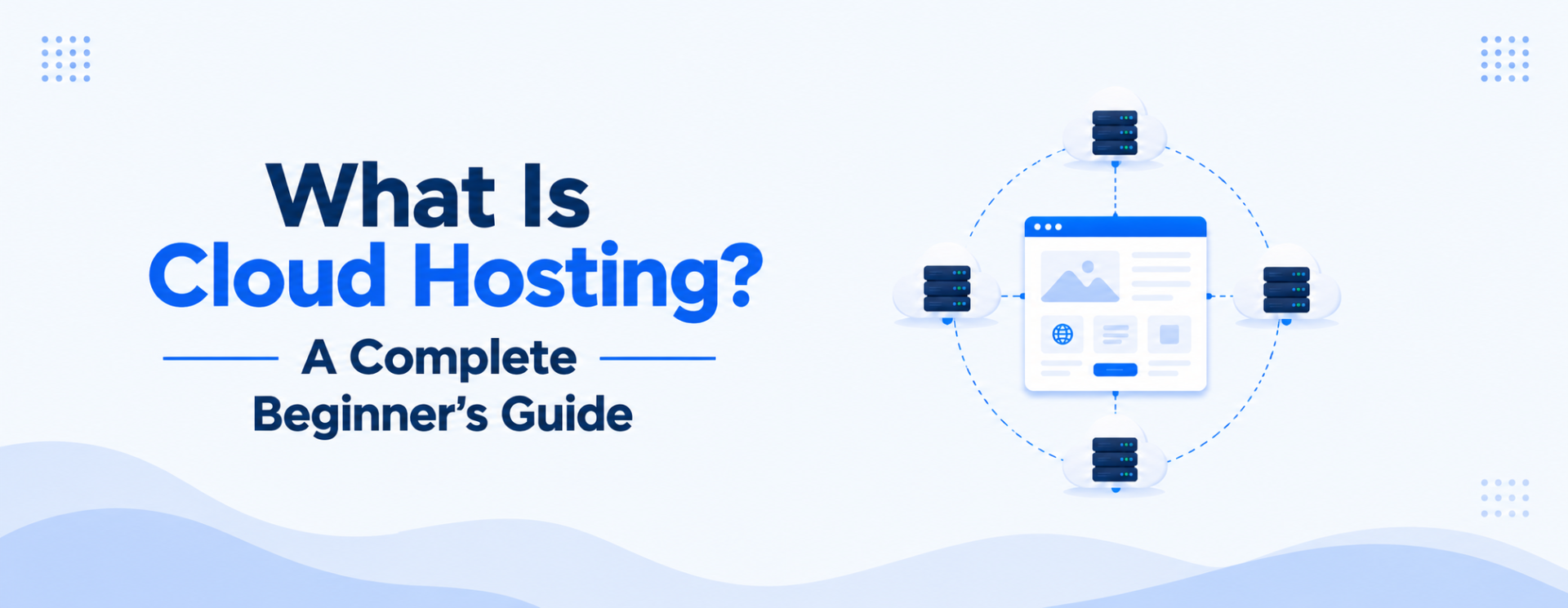
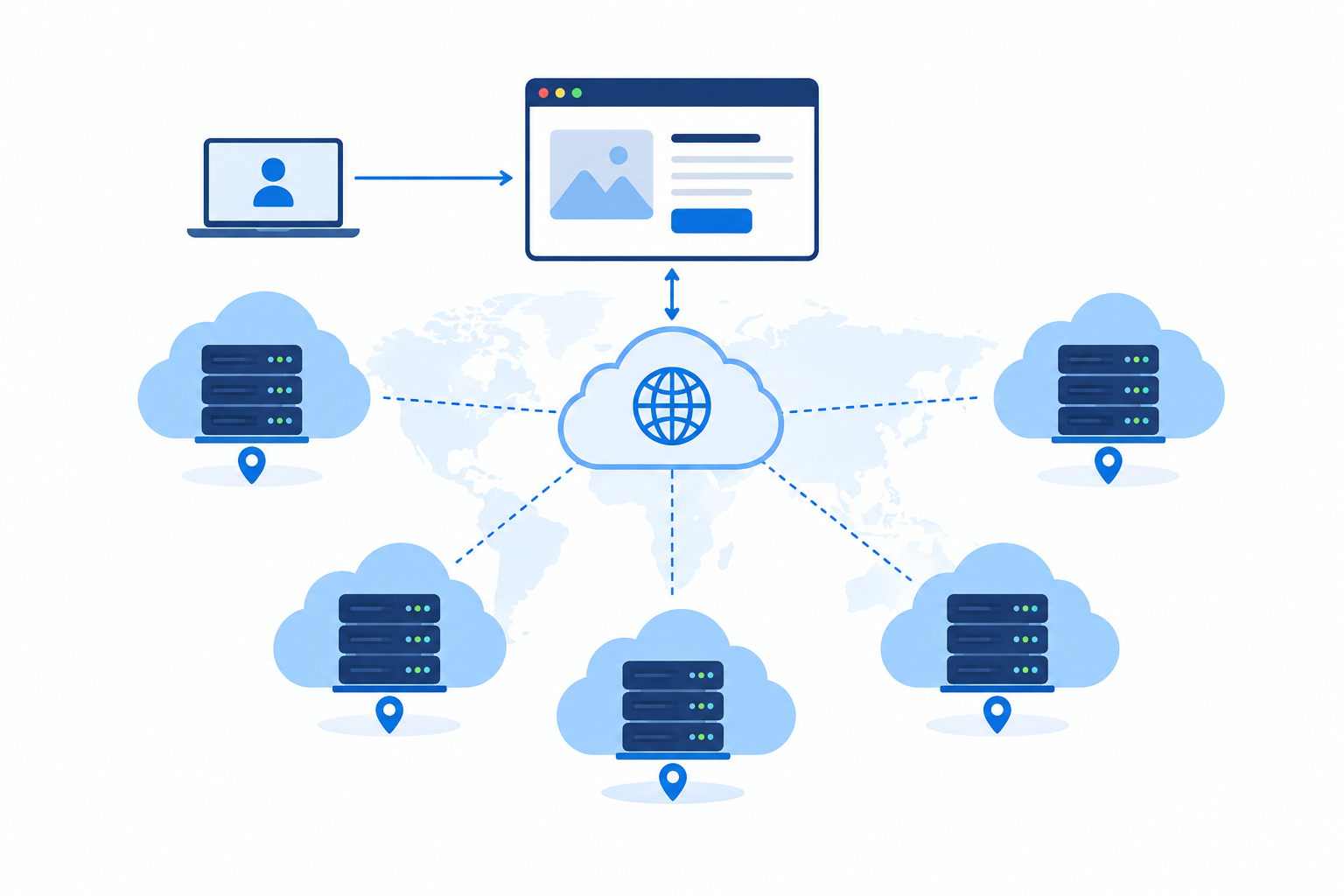
Cloud hosting is a type of web hosting where your website or application runs on a network of connected virtual servers rather than on one physical machine. Resources such as CPU, RAM, and storage are drawn from a shared pool across multiple servers, often spread across more than one data center.
The word “cloud” refers to this distributed network of infrastructure. You are not renting a specific physical machine. You are renting access to a flexible pool of computing resources that scales up or down based on what your website actually needs at any moment.
Traditional hosting ties your website to one server. If that server runs out of resources or goes down, your website goes down with it. Cloud hosting is designed to remove that single point of failure. If one server in the network has a problem, your site shifts to another without interruption.
Cloud hosting is often described as Infrastructure as a Service (IaaS), meaning the underlying hardware and networking are provided and managed by the cloud provider, while you manage what runs on top of it.
How Does Cloud Hosting Work?
Understanding cloud hosting requires understanding three building blocks: virtualization, hypervisors, and distributed infrastructure.
Virtualization is the technology that makes cloud hosting possible. Instead of giving each customer a separate physical server, a cloud provider uses software to create multiple virtual servers from the same physical hardware. Each virtual server runs independently, with its own operating system and allocated resources, even though it shares the physical machine with others.
A hypervisor is the software layer that manages this process. It sits between the physical hardware and the virtual servers, handling how CPU, RAM, and storage are divided and allocated. If you are familiar with what VPS hosting is, the hypervisor concept is the same. The key difference with cloud hosting is what happens above that layer.
Distributed infrastructure is what separates cloud hosting from a standard VPS. In cloud hosting, your virtual server does not live on just one physical machine. The underlying infrastructure spans multiple physical servers, often across multiple data centers. Your files and data may be replicated across several locations simultaneously.
Here is how it comes together in practice:
- A cloud provider builds infrastructure across multiple physical servers in one or more data centers.
- Virtualization software creates a shared pool of compute, storage, and networking resources.
- Your website or application is deployed on virtual servers drawn from that pool.
- A control layer monitors resource usage and automatically adjusts allocation based on demand.
- If one physical server fails, your workload continues on another with no manual intervention required.
Think of it like a city’s electricity grid. Your house does not run on one dedicated generator. Power comes from a shared grid that draws from multiple sources. If one source has a problem, the others keep the lights on. Cloud hosting works the same way for your website.
Key Components of Cloud Hosting
Several technologies work together to make cloud hosting function the way it does.
Virtual Machines
A virtual machine (VM) is a software-based server that behaves like a physical computer. It runs its own operating system and applications in isolation from other VMs on the same physical hardware. In cloud hosting, your website or application runs inside one or more VMs. The cloud provider manages the physical hardware; you manage what runs inside the VM.
Load Balancers
A load balancer distributes incoming traffic across multiple servers so no single server becomes overwhelmed. Imagine a checkout counter with one cashier versus several: a load balancer opens more lanes as customers arrive.
When your website receives a spike in visitors, the load balancer routes requests across available servers, keeping response times consistent. If one server becomes unavailable, the load balancer stops sending traffic to it and redirects to healthy servers automatically.
Resource Scaling
Cloud hosting plans generally fall into two approaches when it comes to resources.
Some providers offer dynamic or auto-scaling plans, where the system automatically adds compute capacity when traffic rises and reduces it when demand drops. Billing on these plans typically reflects actual usage, so the cost varies month to month.
Other providers, including many that serve small and medium-sized businesses, offer fixed-resource cloud hosting. You receive a dedicated allocation of CPU, RAM, and storage that stays constant regardless of traffic. This means your performance is predictable, your monthly cost is known in advance, and you are never surprised by a bill that grew overnight because of a traffic spike or a misconfigured application.
Both approaches run on cloud infrastructure. The right choice depends on whether your priority is flexible capacity or cost certainty.
Distributed Storage
Rather than storing your website’s files on a single disk attached to one server, cloud hosting typically distributes data across multiple storage systems. Copies of your data exist in more than one location. If a disk fails, the data is still accessible from another copy. This replication is a key reason cloud hosting tends to offer stronger durability guarantees than single-server hosting.
Content Delivery Network (CDN) Integration
Many cloud hosting providers integrate or work alongside a CDN. A CDN caches copies of your website’s static content, such as images, CSS, and JavaScript, on servers located around the world. When a visitor loads your site, those files are delivered from the server geographically closest to them rather than traveling all the way to your origin server. This reduces load times for visitors regardless of where they are located.
What Are the Benefits of Cloud Hosting?
High Availability and Uptime
Because your website runs on distributed infrastructure rather than a single server, a hardware failure in one location does not necessarily take your site offline. Cloud providers design their infrastructure with redundancy built in at multiple levels, which is why cloud hosting is commonly associated with strong uptime performance.
That said, uptime depends on the specific provider and plan. No hosting environment is immune to downtime, and a provider experiencing a large-scale outage can affect cloud customers just as any other outage can.
Scalability on Demand
Traditional hosting plans require you to anticipate your resource needs in advance. You pay for a set amount of CPU and RAM, and when you hit that limit, your site slows down or stops responding until you manually upgrade your plan.
On a fixed-resource cloud plan, your allocated CPU, RAM, and storage are dedicated to you. On dynamic plans, resources adjust automatically as traffic rises and falls. Either way, cloud infrastructure is built to handle demand more reliably than a single-server environment, because your workload runs across distributed hardware rather than being tied to one physical machine.
Predictable Cost with Fixed Resources
Cloud hosting plans are typically priced in one of two ways. Consumption-based plans bill you for the exact CPU, RAM, and bandwidth used each month, which can be cost-effective when usage is low but can produce variable bills that are harder to budget around.
Fixed-resource plans charge a flat monthly or annual fee for a defined allocation of CPU, RAM, and storage. Your bill is the same whether your site receives a hundred visitors or ten thousand on a given day. For businesses that need predictable overheads, this model removes the guesswork. You know your hosting cost before the month begins, and there are no surprise charges tied to traffic events or usage spikes.
Resilience and Redundancy
Cloud infrastructure is built around the assumption that individual hardware components will fail. Data is replicated, workloads can move between servers, and network paths have redundancy. This architecture makes cloud hosting more resilient to hardware failures than hosting tied to a single physical machine.
Performance Under Load
With load balancing in place, incoming requests are distributed across multiple servers so no single machine becomes the bottleneck. Cloud infrastructure handles demand more consistently than a single-server environment, because the workload is spread across distributed hardware rather than concentrated in one place.
Global Reach
Cloud providers typically operate data centers in multiple regions. This makes it practical to deploy your website or application closer to your users geographically, reducing latency. Combined with CDN integration, cloud hosting can deliver a fast experience to visitors in different countries without requiring separate infrastructure in each location.
Are There Any Limitations to Cloud Hosting?
Cloud hosting is not the right fit for every situation. Understanding its limitations is as important as understanding its benefits.
Choosing the Right Pricing Model
Cloud hosting pricing comes in two main forms, and understanding the difference before you sign up matters.
Consumption-based plans bill you for actual resource usage. This is flexible but can produce variable costs. A traffic spike, a runaway process, or a DDoS attack can generate unexpected usage and therefore unexpected charges. These plans require monitoring and spending alerts to stay in control.
Fixed-resource plans charge a flat fee for a defined allocation and remove that unpredictability. Your cost is the same each billing period regardless of traffic. The trade-off is that if your site suddenly needs more resources than your plan provides, you will need to upgrade your plan rather than have the system add capacity automatically.
Knowing which model your chosen provider uses is one of the more important questions to ask before committing to a plan.
Requires More Technical Familiarity
Setting up and managing cloud hosting, particularly unmanaged cloud plans, requires more technical knowledge than a standard shared hosting account. You are responsible for configuring your server environment, securing it, keeping software updated, and managing backups, unless those responsibilities are handled by a managed plan.
For someone familiar with what shared hosting is and who has never worked with server configuration, the learning curve can be steep. Managed cloud hosting plans shift most of this responsibility back to the provider, but at a higher cost.
Internet Connectivity Dependency
Cloud hosting relies entirely on your server infrastructure being reachable over the internet. If your cloud provider experiences a network outage, your website is unreachable regardless of how well it is configured. This dependency is shared with all forms of hosted infrastructure, but the potential blast radius of a cloud provider outage is larger, since many customers share the same underlying platform.
Less Direct Control Over Infrastructure
With dedicated hosting, you have full ownership of the physical hardware. With cloud hosting, you manage virtual resources on hardware the provider owns and operates. In most situations this is perfectly fine, but some compliance requirements or security policies require that certain data be processed on hardware you control directly, which cloud hosting typically cannot satisfy without additional agreements.
Performance Can Vary by Workload
Cloud hosting handles variable, traffic-driven workloads well. CPU-intensive tasks that run continuously, such as scientific computing or video encoding, can behave differently. The virtualized environment and shared physical infrastructure mean that raw compute performance may not match what a dedicated physical machine with equivalent specifications could achieve. For most web applications this is not a practical concern, but it is worth knowing for specialized workloads.
Who Should Use Cloud Hosting?
Cloud hosting suits a range of projects and users.
- Websites with variable or unpredictable traffic benefit most from auto scaling. If your site can go from a few hundred visitors per day to tens of thousands overnight due to a news mention, a product launch, or a marketing campaign, cloud hosting handles those spikes without manual intervention.
- Growing businesses and applications that are not yet sure how much hosting capacity they will need can start with a smaller cloud allocation and scale up as demand grows, rather than over-provisioning from the start.
- Developers building and testing applications value the ability to spin up and shut down environments quickly, pay only for the time they use, and configure the server environment precisely to their application’s requirements.
- Businesses where uptime is critical benefit from the redundancy and failover built into cloud infrastructure. If your website going down for an hour represents a significant revenue loss or reputational problem, the resilience of cloud hosting is worth the cost.
- Projects with global audiences can use cloud infrastructure across multiple regions to reduce latency for users in different countries.
Cloud hosting is generally a stronger fit when your needs involve flexibility, scalability, or resilience. If your website is small, has consistent low traffic, and does not require custom server configuration, shared hosting may serve you well at a lower cost and with less complexity to manage.
Frequently Asked Questions
What is the difference between cloud hosting and traditional web hosting?
Traditional web hosting runs your website on a single physical server. If that server runs out of resources or fails, your site is affected. Cloud hosting runs your site on a distributed network of virtual servers, so resources can scale up and down automatically, and a failure in one location does not necessarily take your site offline.
Is cloud hosting the same as a VPS?
They are related but not the same. A VPS is a virtual server created by dividing one physical machine. Cloud hosting typically runs virtual servers across a distributed network of physical machines, adding redundancy and making resources easier to scale. Some providers sell cloud VPS plans that combine the two concepts.
Is cloud hosting secure?
Cloud hosting providers invest significantly in security, including physical data center security, network security, and isolation between customers. That said, security also depends on how you configure your own environment. Keeping software updated, managing access controls, and monitoring for unusual activity are your responsibility on unmanaged plans. Managed cloud plans handle more of this on your behalf.
How is cloud hosting priced?
Pricing varies by provider. Some use a pay-as-you-go model where you are billed for actual resource consumption. Others offer flat monthly plans with fixed resource allocations. Consumption-based pricing is more flexible but requires monitoring to avoid unexpected costs.
Can I host multiple websites on cloud hosting?
Yes. Cloud hosting gives you the ability to host multiple websites or applications on the same infrastructure, depending on your plan and configuration. You manage the setup of individual sites through your server environment or control panel.
Do I need technical knowledge to use cloud hosting?
It depends on the plan. Managed cloud hosting handles server configuration, updates, and maintenance for you, making it accessible without deep technical knowledge. Unmanaged cloud hosting gives you full control but requires you to handle those tasks yourself. If you are new to server management, a managed plan is the more practical starting point.
What happens to my website if a server in the cloud fails?
Cloud infrastructure is designed so that a failure in one physical server does not take your website down. Your workload runs across distributed infrastructure, and the system can shift traffic to healthy servers automatically. The specifics depend on your provider and plan configuration, but redundancy is a core design principle of cloud hosting.
Is cloud hosting faster than shared hosting?
In most situations, yes. Dedicated resources, load balancing, and CDN integration typically result in faster and more consistent performance than shared hosting, where resources are pooled and one site’s usage can affect others. The practical difference depends on your specific plan, workload, and how the hosting is configured.
What is auto scaling in cloud hosting?
Auto scaling is a feature on some cloud hosting plans that automatically adjusts resource allocation based on demand. When traffic increases, capacity is added. When demand drops, it reduces. Not all cloud hosting plans work this way. Many providers offer fixed-resource plans where your CPU, RAM, and storage stay constant, giving you stable, predictable costs rather than dynamic billing tied to usage.
Conclusion
Cloud hosting runs your website on a distributed network of virtual servers rather than a single physical machine. The underlying technology relies on virtualization and hypervisors to create flexible computing environments, combined with load balancers and distributed storage to deliver the reliability and consistent performance that cloud hosting is known for.
The main advantages are resilience to hardware failures, consistent performance across distributed infrastructure, and flexible plan options including fixed-resource pricing that keeps costs predictable. The trade-offs are a higher cost than basic shared hosting, a steeper learning curve on unmanaged plans, and dependence on the provider’s network and infrastructure.
Cloud hosting is a capable environment for websites with variable traffic, applications that need consistent uptime, and projects that benefit from flexible resource allocation. Whether it is the right choice depends on your specific needs, your technical comfort level, and how much control and flexibility your website requires.