
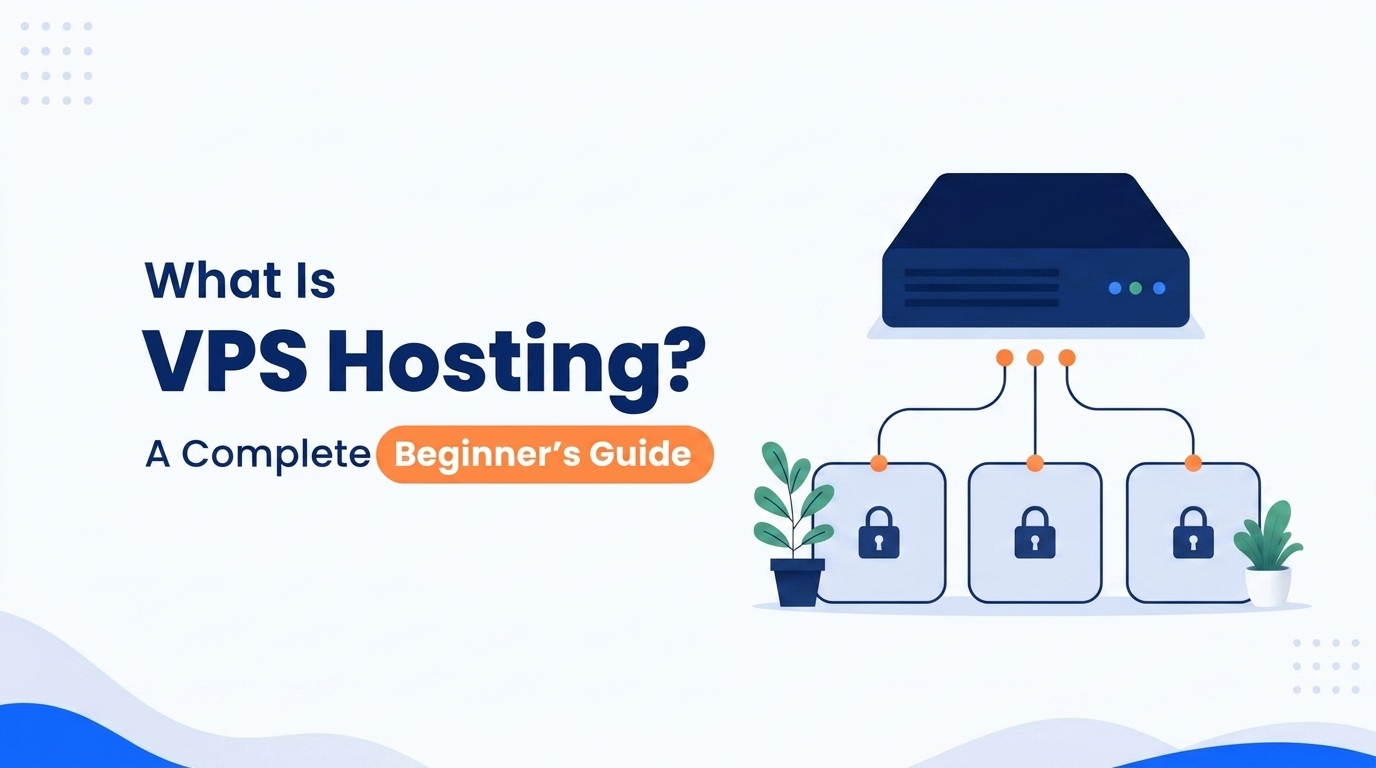

When you start researching web hosting, you will eventually come across the term VPS hosting.
VPS stands for Virtual Private Server. It is a type of web hosting that uses virtualization technology to divide a physical server into multiple isolated virtual servers.
But what does that actually mean for you as a website owner?
In simple terms, VPS hosting gives you a virtual server environment with your own allocated resources and much more control over the server than you typically get with basic hosting.
This guide explains what a VPS is, how VPS hosting works, what you get with a VPS, and the main advantages and limitations you should understand before choosing one.
What Is a VPS?
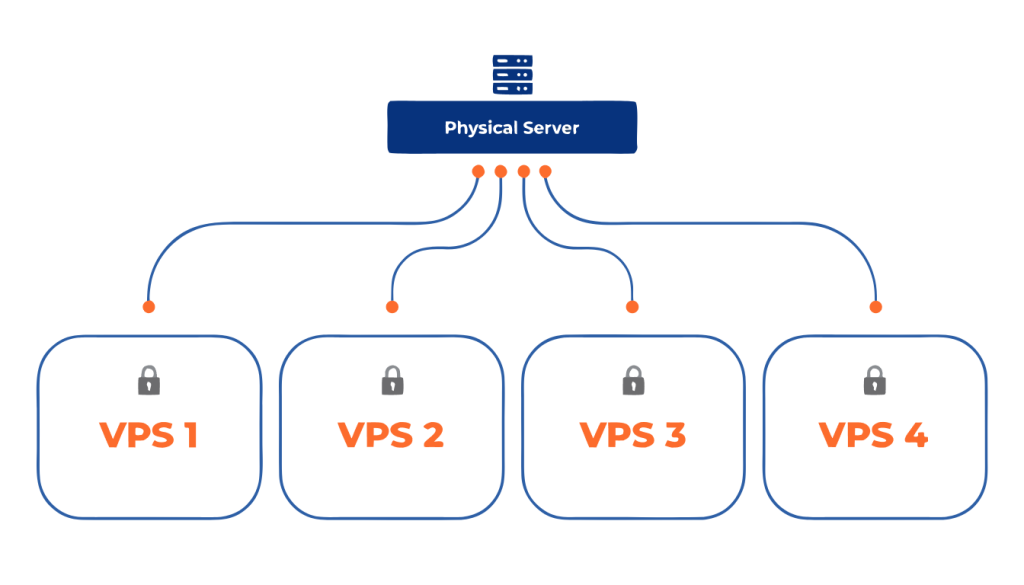
A Virtual Private Server (VPS) is a virtual server created on a physical server using virtualization technology.
Instead of giving one customer the entire physical server, a hosting provider divides the machine into several separate virtual environments. Each VPS operates independently and is assigned its own portion of the server’s computing resources.
A VPS can have its own:
- CPU allocation
- RAM
- Storage
- Operating system
- IP address
- Software and applications
- Security settings
- Server configuration
Although several VPS instances may exist on the same physical machine, each one is designed to operate as an independent server.
For example, imagine a large apartment building. The entire building is the physical server, while each individual apartment represents a VPS. Residents share the building itself, but each apartment has its own private space.
This is the basic idea behind VPS hosting: shared physical hardware with an isolated virtual server environment.
How Does VPS Hosting Work?
VPS hosting works through a technology called virtualization.
A hosting provider starts with a physical server located in a data center. Virtualization software, commonly managed through a component called a hypervisor, creates multiple virtual machines on that physical server.
Each virtual machine can run its own operating system and applications.
The process looks roughly like this:
- A physical server provides the underlying hardware.
- A hypervisor creates multiple virtual server environments.
- Each VPS receives an allocated amount of CPU, RAM, and storage.
- Each VPS runs its own operating system.
- Customers can install and configure applications inside their individual VPS.
- The virtualization layer keeps the environments separated from one another.
The important part is isolation.
A VPS is not simply a folder or account on a shared server. It behaves much more like a standalone server, which is why you can install software, configure services, and manage the environment according to your requirements.
What Resources Does a VPS Have?
When you purchase a VPS, your hosting plan normally includes a specific amount of resources.
Common resources include:
CPU
CPU resources determine how much processing power your VPS has available.
Applications that perform more calculations or handle many simultaneous requests may require more CPU capacity.
RAM
RAM provides temporary memory for running applications and services.
A website with a simple setup may require relatively little memory, while applications with databases, control panels, caching systems, or multiple services may need considerably more.
Storage
Storage is where your operating system, website files, databases, applications, logs, and other data are stored.
VPS providers may use technologies such as SSD or NVMe storage, depending on the hosting infrastructure.
Bandwidth
Bandwidth determines how much data can be transferred between your VPS and visitors or other services.
The amount included depends on the hosting provider and plan.
IP Address
A VPS commonly comes with a dedicated public IP address. This can be useful for server administration, hosting applications, configuring DNS, and running services that require their own IP.
The exact resources and limits vary between providers and hosting plans.
What Can You Do With a VPS?
One of the biggest differences between a VPS and basic website hosting is the level of control available to you.
Depending on your VPS configuration, you can use it to run things such as:
- Websites and blogs
- Online stores
- Databases
- Web applications
- APIs
- Development environments
- Content management systems
- Private applications
- Game servers
- Automation tools
- Business applications
- Custom software
You can also install server software and configure the operating system to meet the requirements of your application.
This flexibility makes VPS hosting useful beyond simply hosting a traditional website.
Advantages of VPS Hosting
VPS hosting offers several important advantages.
1. Isolated Environment
Your VPS operates separately from other virtual servers on the same physical machine.
This provides a more controlled environment for your applications and data.
2. Allocated Resources
A VPS plan provides a defined allocation of resources such as CPU, RAM, and storage.
This gives you more predictable resource availability than an environment where many accounts draw from the same general resource pool.
3. Greater Control
With administrative access, you can configure the server and install software according to your application’s requirements.
You are not limited to the software configuration provided by a basic hosting account.
4. Flexibility
A VPS can support many different types of workloads, from websites and databases to APIs and custom applications.
You can configure the environment around what you actually need to run.
5. Room for Customization
You can select an operating system and configure server software, security settings, applications, and other components according to your requirements.
This makes VPS hosting particularly useful for users who need a customized server environment.
Disadvantages of VPS Hosting
VPS hosting also comes with responsibilities that you should understand.
Technical Knowledge
A VPS provides considerably more control than basic hosting, but using that control effectively may require knowledge of Linux, networking, security, databases, web servers, and command-line tools.
Server Administration
Depending on how your VPS is provided and configured, you may need to take care of tasks such as software updates, configuration, monitoring, backups, and security.
The exact level of responsibility depends on the hosting service you choose.
More Configuration
A VPS environment can involve more setup than a basic hosting account.
Instead of having everything configured for you, you may need to install and configure the services required by your website or application.
Additional Responsibility
More control means more opportunities to make configuration mistakes.
Incorrect permissions, firewall rules, software configurations, or security settings can cause problems if they are not managed carefully.
Physical Hardware Is Still Shared
A VPS is virtualized on physical hardware. Multiple VPS instances can therefore exist on the same physical machine.
Virtualization provides isolation, but it does not change the fact that the underlying hardware belongs to the hosting infrastructure.
What Operating Systems Can a VPS Use?
Most VPS providers offer a selection of operating systems.
Linux distributions are particularly common, including options such as:
- Ubuntu
- Debian
- AlmaLinux
- Rocky Linux
Some providers also offer Windows Server.
The operating system you choose depends on the software you plan to run and your technical requirements.
For many web applications, Linux is a popular choice because of its wide software support and extensive developer ecosystem.
Is VPS Hosting Only for Websites?
No, Although VPS hosting is commonly associated with websites, a VPS is essentially a virtual server. This means it can be used for many other purposes.
For example, a developer might use a VPS to host an API, run a database, create a testing environment, or deploy a custom application.
A business might use one for internal applications or services.
The important distinction is that VPS hosting provides a server environment, rather than simply providing space for website files.
When Is VPS Hosting Useful?
VPS hosting can be useful when you need a server environment that offers more control, customization, and resource isolation than a basic hosting account.
Typical VPS users include:
- Developers building web applications
- Businesses running custom software
- Website owners who need server-level configuration
- Agencies hosting multiple applications
- Users who need specific software or operating system configurations
- Technical users who want control over their server environment
However, VPS hosting is not automatically necessary for every website.
If you have a small website, blog, portfolio, or a site with relatively modest traffic, a simpler hosting environment may be enough. Shared hosting can be a practical option when you want to host a website without managing the additional server configuration and administration that comes with a VPS.
As your website grows, your requirements may change. The right hosting choice depends on your website’s traffic, resource requirements, technical needs, and how much server management you are comfortable handling.
Frequently Asked Questions About VPS Hosting
What does VPS stand for?
VPS stands for Virtual Private Server.
Is a VPS a real server?
A VPS is a virtual server rather than a separate physical machine. It uses physical server hardware underneath but operates as an independent virtual environment.
Can a VPS have its own operating system?
Yes. A VPS normally runs its own operating system, such as Ubuntu, Debian, AlmaLinux, Rocky Linux, or Windows Server, depending on what the provider supports.
Does a VPS have dedicated resources?
A VPS plan normally includes an allocated amount of CPU, RAM, and storage. The exact resource model and guarantees depend on the hosting provider.
Can I install software on a VPS?
Yes. One of the main advantages of a VPS is the ability to install and configure software that your applications require, subject to the provider’s terms and technical limitations.
Do I need technical knowledge to use a VPS?
It depends on the VPS service and how it is managed. A VPS gives you more server-level control than basic hosting, so technical knowledge can be important, particularly when you are responsible for configuring and maintaining the server.
Can I host a website on a VPS?
Yes. Websites are one of the most common uses for VPS hosting. You can install a web server, database, programming environment, and other software needed to run your website or application.
Is a VPS the same as cloud hosting?
Not necessarily. VPS describes a virtual server environment, while cloud hosting generally refers to infrastructure built using a pool of interconnected computing resources. Some VPS services are also built on cloud infrastructure, so the terms can overlap depending on the provider.
Is VPS hosting expensive?
VPS hosting generally costs more than entry-level hosting because you receive a more capable and customizable server environment. Pricing varies considerably depending on CPU, RAM, storage, bandwidth, infrastructure, and other features.
Conclusion
A VPS, or Virtual Private Server, is a virtualized server environment that runs on physical server hardware.
Virtualization allows a hosting provider to create multiple isolated servers on one physical machine. Each VPS can have its own operating system, allocated resources, software, and configuration.
The main appeal of VPS hosting is the combination of resource allocation, isolation, flexibility, and server-level control.
At the same time, a VPS comes with more responsibility than a basic hosting environment. You may need to understand server configuration, software installation, security, and ongoing administration depending on the service you use.
For most growing websites, a VPS is the next step after shared hosting. It provides the performance and reliability your site needs to succeed as traffic increases.